

Calls and messages inside your app
Your users call each other, your team, or any phone number from your web and mobile apps. WebRTC in the browser, SIP to the phone network, one gateway between them.
Summary
Any device
Browsers, iOS, Android, and desk phones on the same accounts.
Encrypted
TLS signalling and DTLS-SRTP media on every call.
Mobile-ready
A push wakes a sleeping app before the call rings out.
Ready-made
Ship the softphone, drop the widget on your website, or build your own client.
Browsers and phones speak different protocols
Browsers speak WebRTC. The phone network speaks SIP. Bridging them yourself means a media server, TURN, codecs, and push notifications for mobile. The DialPress gateway does the bridging, so your app makes one kind of call.

How it works
01
Create SIP accounts
One per user, from the dashboard or the API.
02
Sign in
Your app or the softphone connects over secure WebSocket.
03
Call anyone
Other users, your team, AI agents, or any phone number.
A client on day one
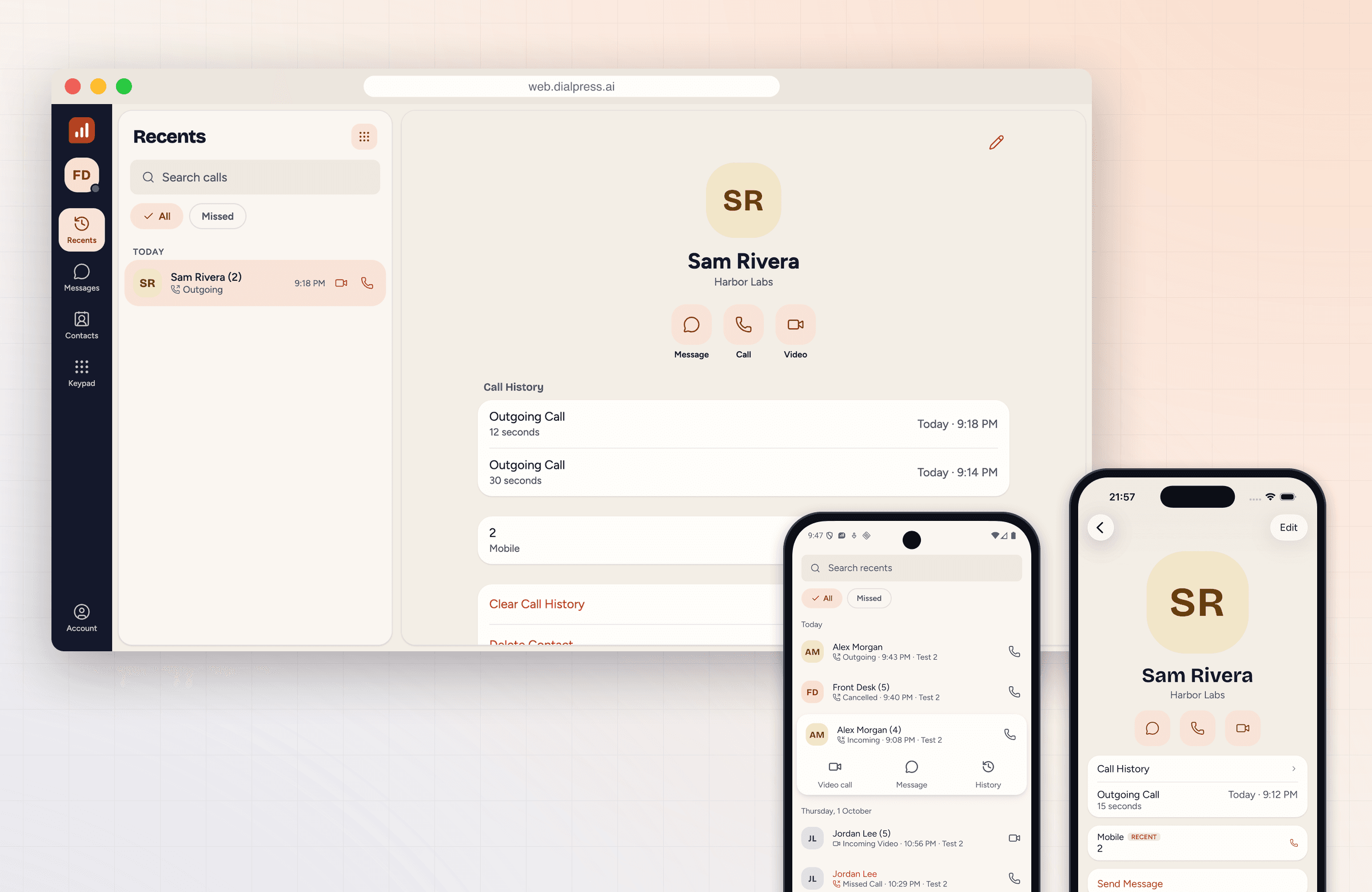
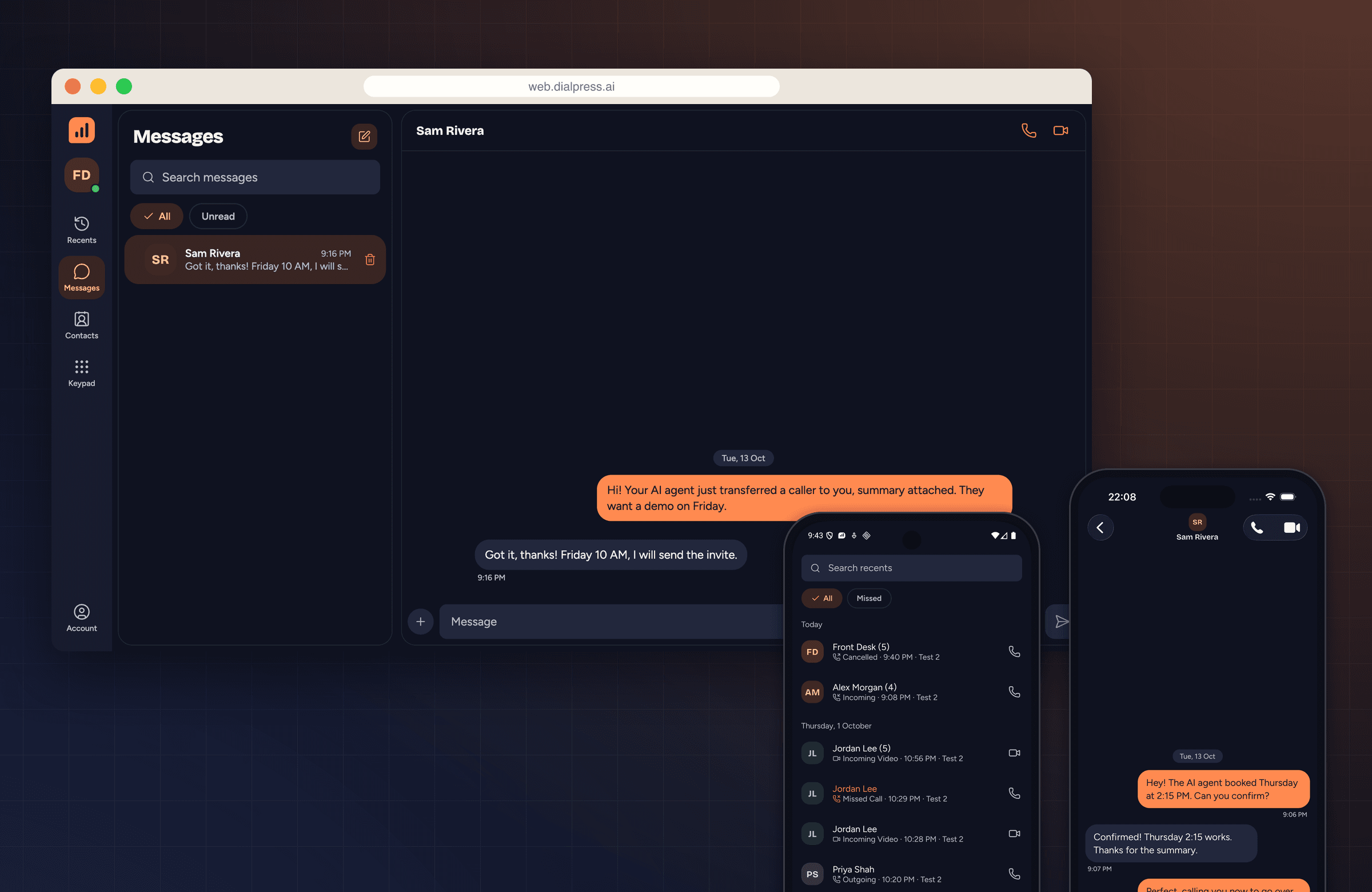
The DialPress softphone runs on the web, iOS, and Android with calls, messages, contacts, and call history, in light and dark. Ship it as is, or use it as a reference for your own.
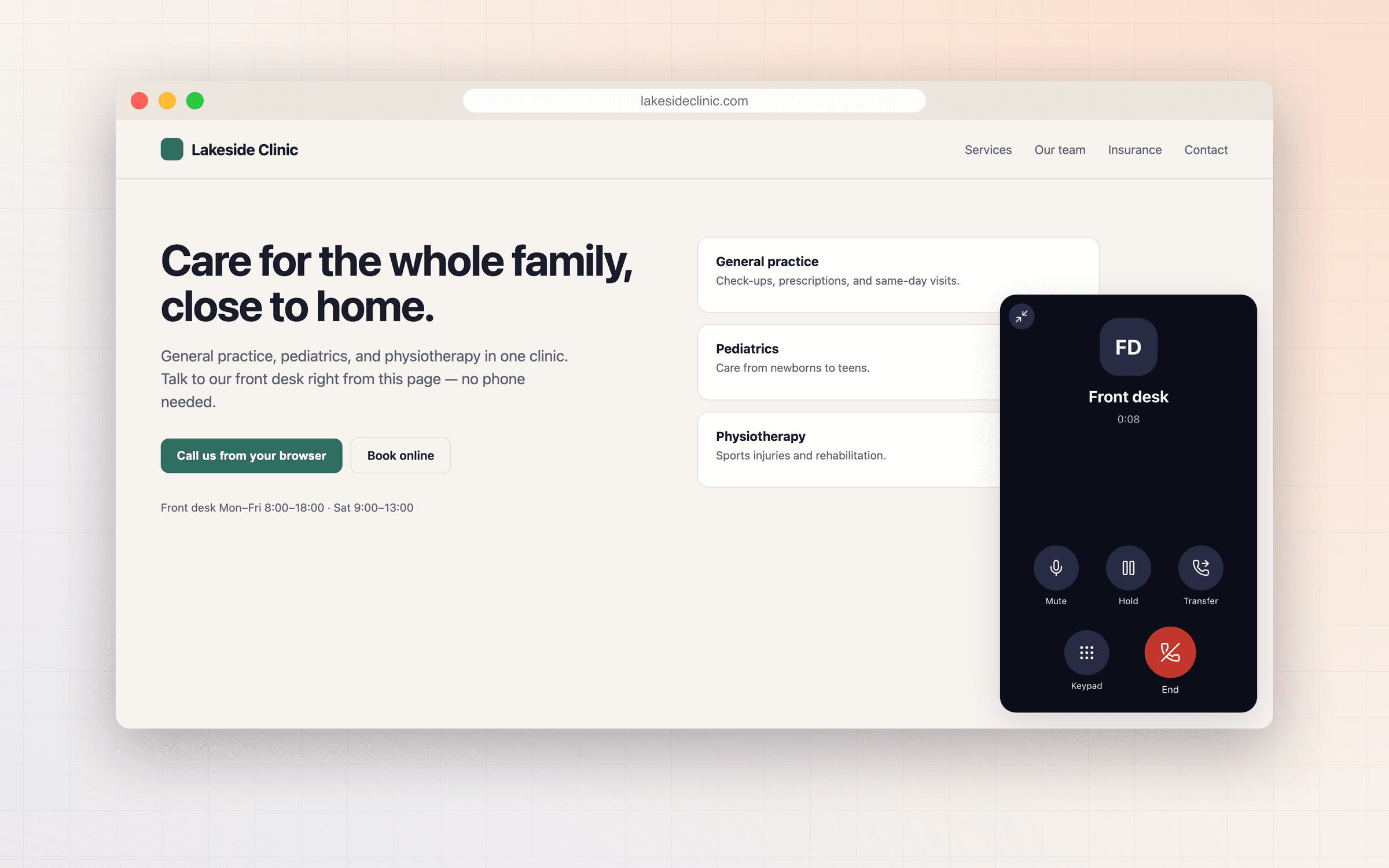
Or a call button on your website
The softphone widget lets visitors call your team from any page, with two script tags and no app to install.
Built from
The DialPress primitives this uses.
Common questions
Do I have to use the DialPress softphone?
No. Use it as is, or build your own client on the same SIP accounts.
Does video work?
Yes. Video calls and conferences run over WebRTC.
What happens when the mobile app is asleep?
The gateway holds the call while a push notification wakes the app.
Add calling to your app.
Create a SIP account and sign in from the browser in minutes.