

One softphone for the web, iPhone, Android, and your website
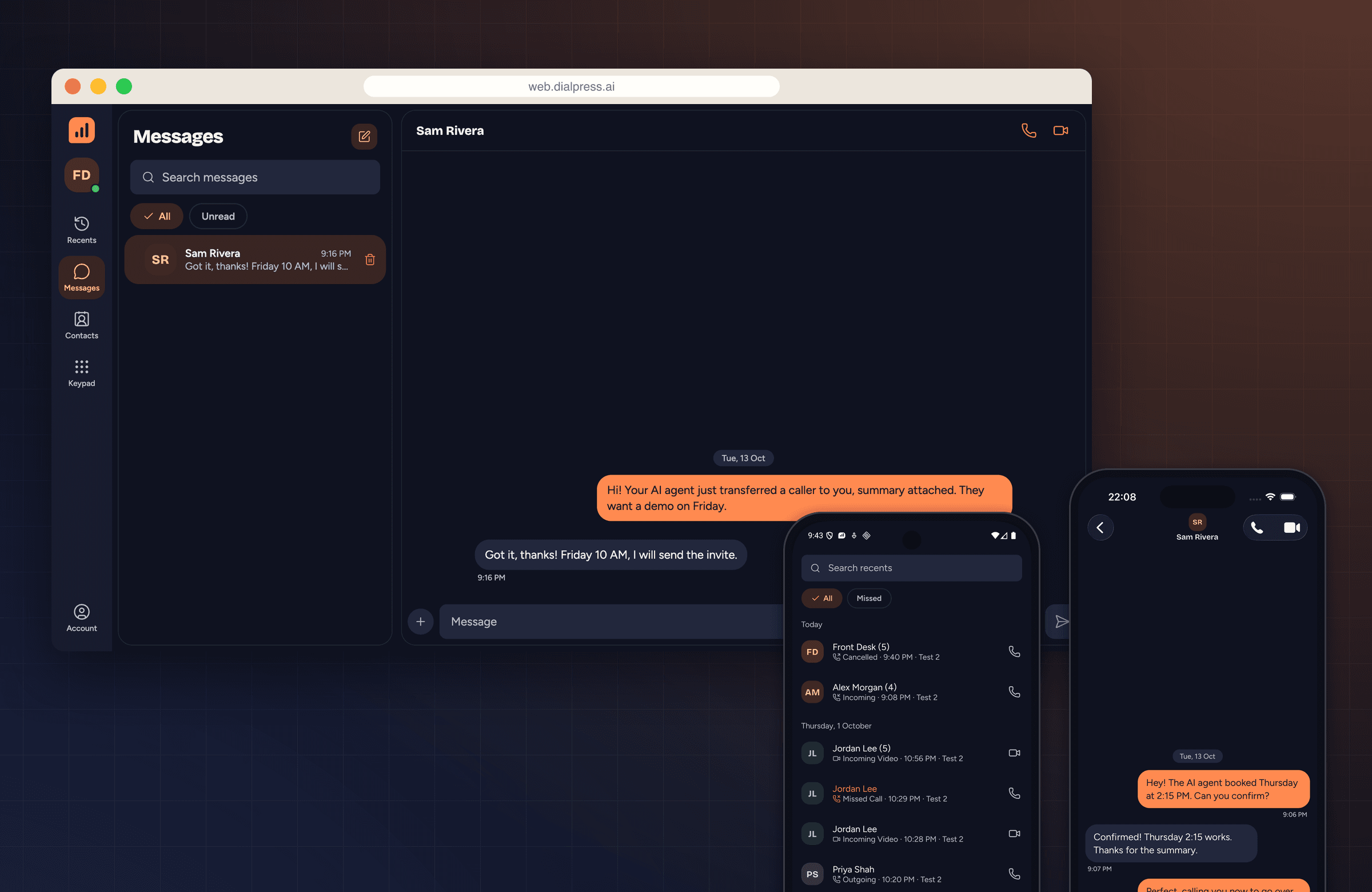
Encrypted HD calls and messages on your own SIP accounts, plus a widget that puts a call button on any website. Ship it to your users on day one, and every call your AI agent hands off lands here with the context attached.
See it in action
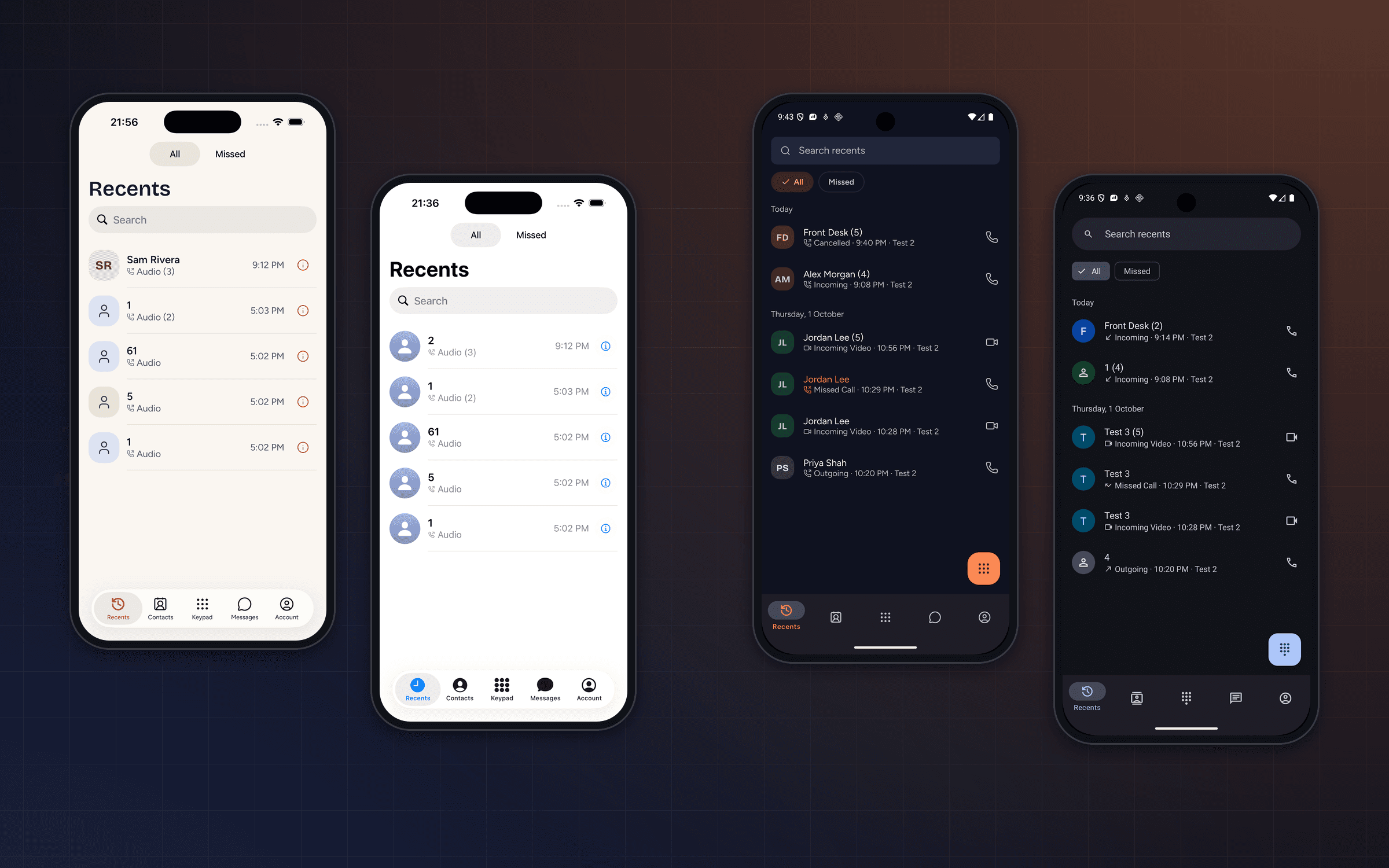
Every screen, in light and dark
Real captures from signed-in apps. Switch the site theme to see each screen the other way round.


Make it yours
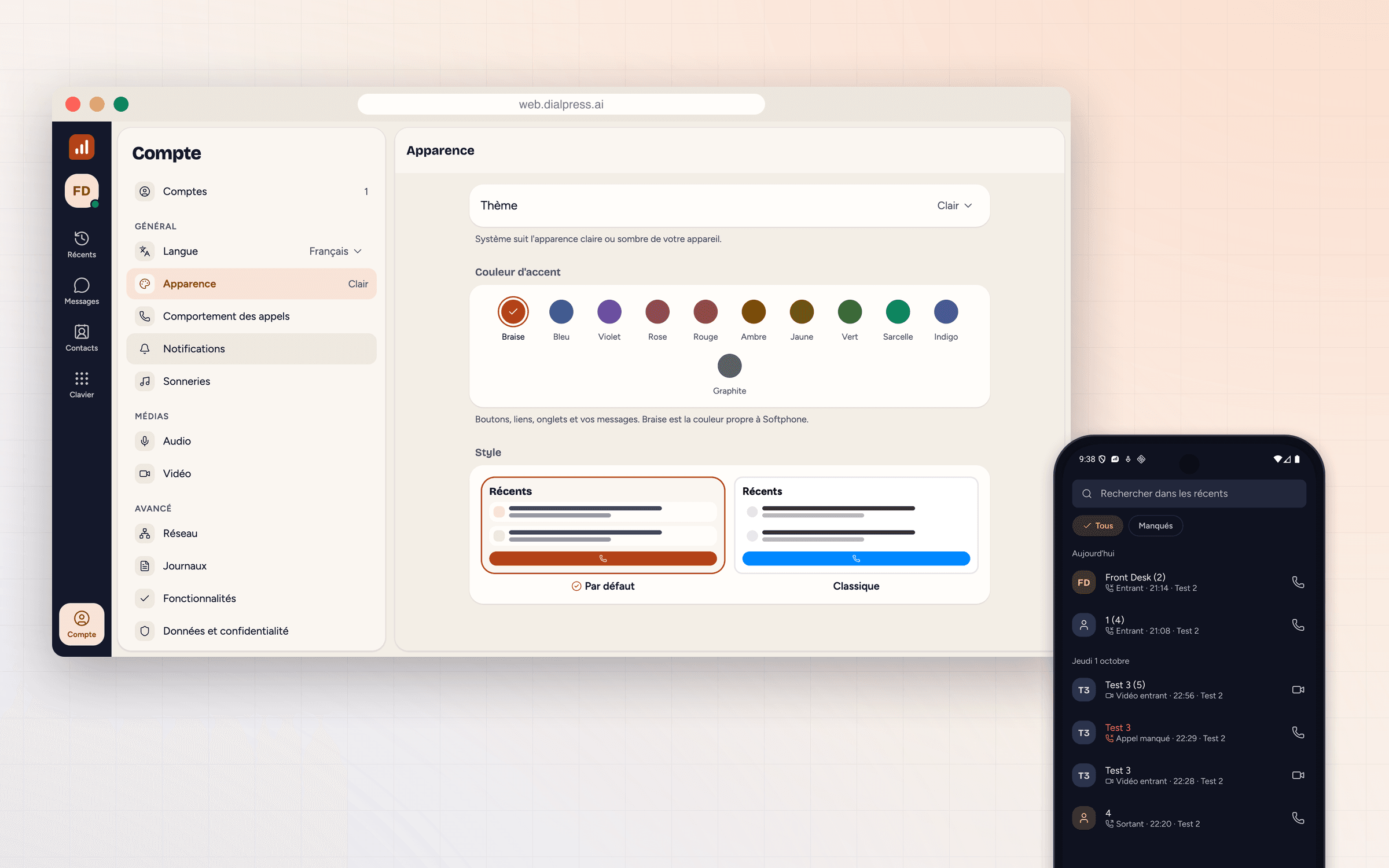
Theme, accent, and style
Light, dark, or follow the system. Eleven accent colours. The DialPress look, or a Classic style that matches iOS and Material You.


Everything a phone does, on your own SIP accounts
One client, three platforms, the same features everywhere.
HD voice and video
Opus and AMR-WB wideband audio, video calls, and a codec list you control per account.
Encrypted end to end
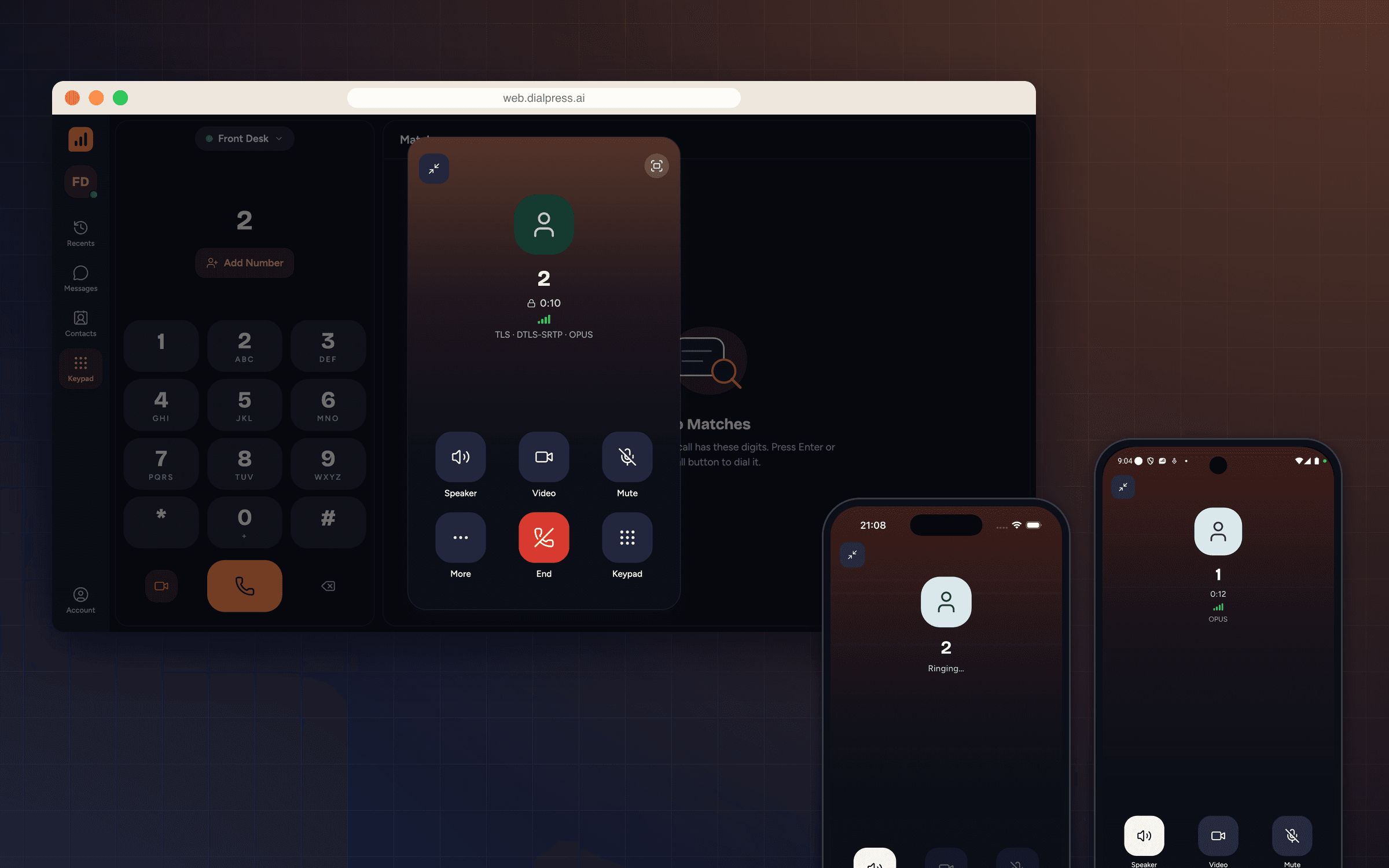
Signalling over TLS and secure WebSocket, media over DTLS-SRTP — shown on every call.
Messages
SIP messages with unread filters, search, and the full conversation history.
Contacts and call history
Contacts with companies and several numbers, linked to every call and message you have had with them.
Call control
Hold, mute, keypad, add call, blind or attended transfer, and recording, one tap away.
Several accounts
Sign in to more than one SIP account and switch between them from the top of any screen.
A call button for any website
Two script tags put the softphone on your site. Visitors call the numbers you list, from the browser, with no app and no phone. It follows the page’s light or dark theme, sits in a corner or inline, and its CSS is isolated from yours.
Widget options
Everything is set in one init() call.
Numbers
The departments visitors can call, each with a name and a short description.
Call controls
Turn mute, hold, transfer, and the keypad on or off.
Look
Light, dark, or auto, and your brand color.
Placement
Bottom right, bottom left, or inline in your layout.
Language
English or French, from the page or the browser.
API and events
open(), close(), call(), and hangup(), with events for every call.
Calls between any two clients
Dial from the browser, ring an iPhone, answer on Android. Every call shows its transport, encryption, and codec, so you can see what the network is doing.
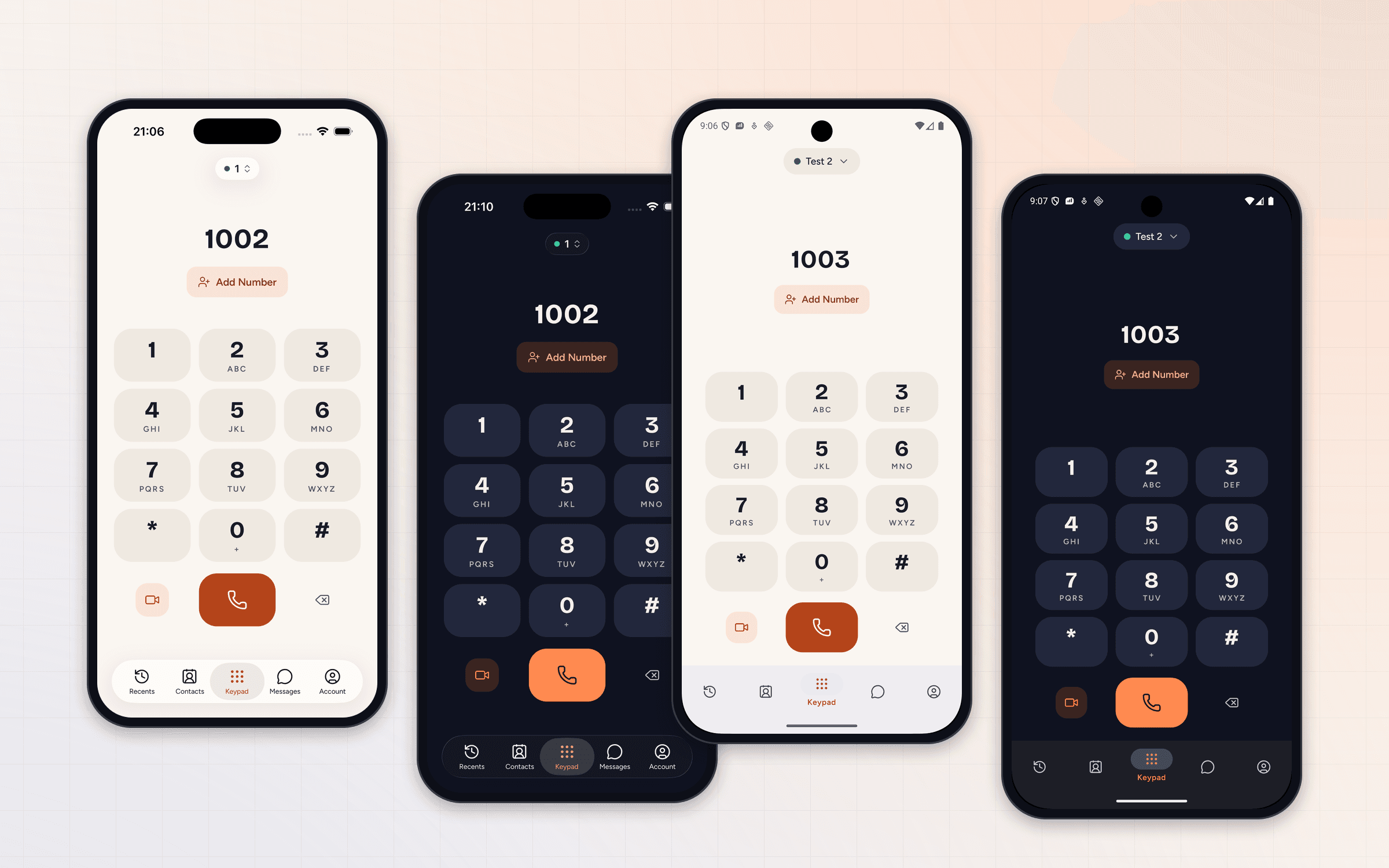
Designed for day and night
Every screen is drawn for both themes, in the same Ink & Ember palette as the rest of DialPress. Pick light, dark, or let the device decide.
Your look, or the platform’s
The Default style carries the DialPress brand. Classic follows the platform instead — iOS blue on iPhone, Material You on Android, with colours taken from the wallpaper. Accent and app icon can follow along.
Accessible and multilingual
Every control has a spoken label for VoiceOver, TalkBack, and screen readers on the web, and those labels are translated with the rest of the app. Language follows the system or your choice, with dates and times in the local format.
Built for everyone who answers the phone
Accessibility and language are part of the client, not an add-on.
Screen readers
Buttons, calls, and messages carry descriptive labels — “Call Alex Morgan”, “Contact card for Front Desk” — on iOS, Android, and the web.
Semantic web app
The web client uses real roles — tabs, radio groups, list boxes, dialogs — so assistive technology reads it like a native app.
Translated end to end
Interface text and accessibility labels switch language together, live, without a restart.
Local formats
Times, dates, and call durations follow the chosen language — 21:14 and “jeudi 1 octobre” in French.
Signed in in under a minute
Point it at a DialPress deployment — ours or yours.
01
Server
Enter your secure WebSocket address, such as wss://sip.example.com.
02
Account
Use the SIP username and password from the dashboard or the API.
03
Done
Calls, messages, and presence are live on the web, iPhone, and Android.
Put a phone in every hand.
Open the softphone in your browser, or build your own client on the same SIP accounts.